

왕초보 가이드
[거래소 이용방법] OKX Sub-account Setup Guide
When you want to manage multiple accounts separately on OKX, the Sub-account feature is extremely useful. It is excellent for separating trading strategies, using accounts for automated trading, and managing risk.
What is a Sub-account?
A Sub-account is a feature that allows you to create multiple independent trading accounts under one main account.
For example:
Main Account → Used for long-term holding
Sub-account A → Used for short-term trading
Sub-account B → Used for copy trading
You can manage them separately like this.
Steps to Create a Sub-account
1. Visit the OKX website
Go to https://www.okx.com and log in.
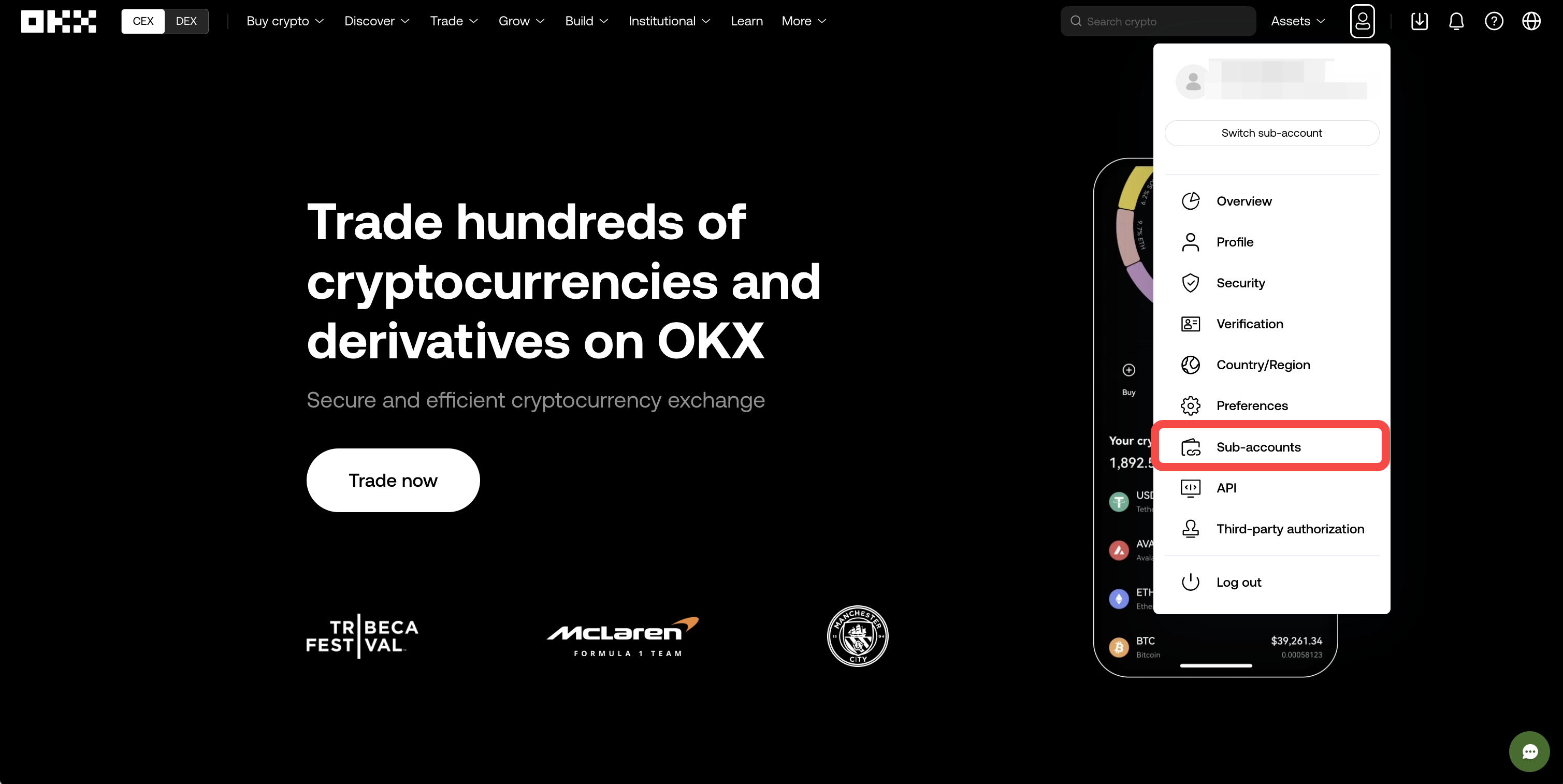
2. Click [Assets] in the top menu
From the dropdown menu, select [Sub-account]
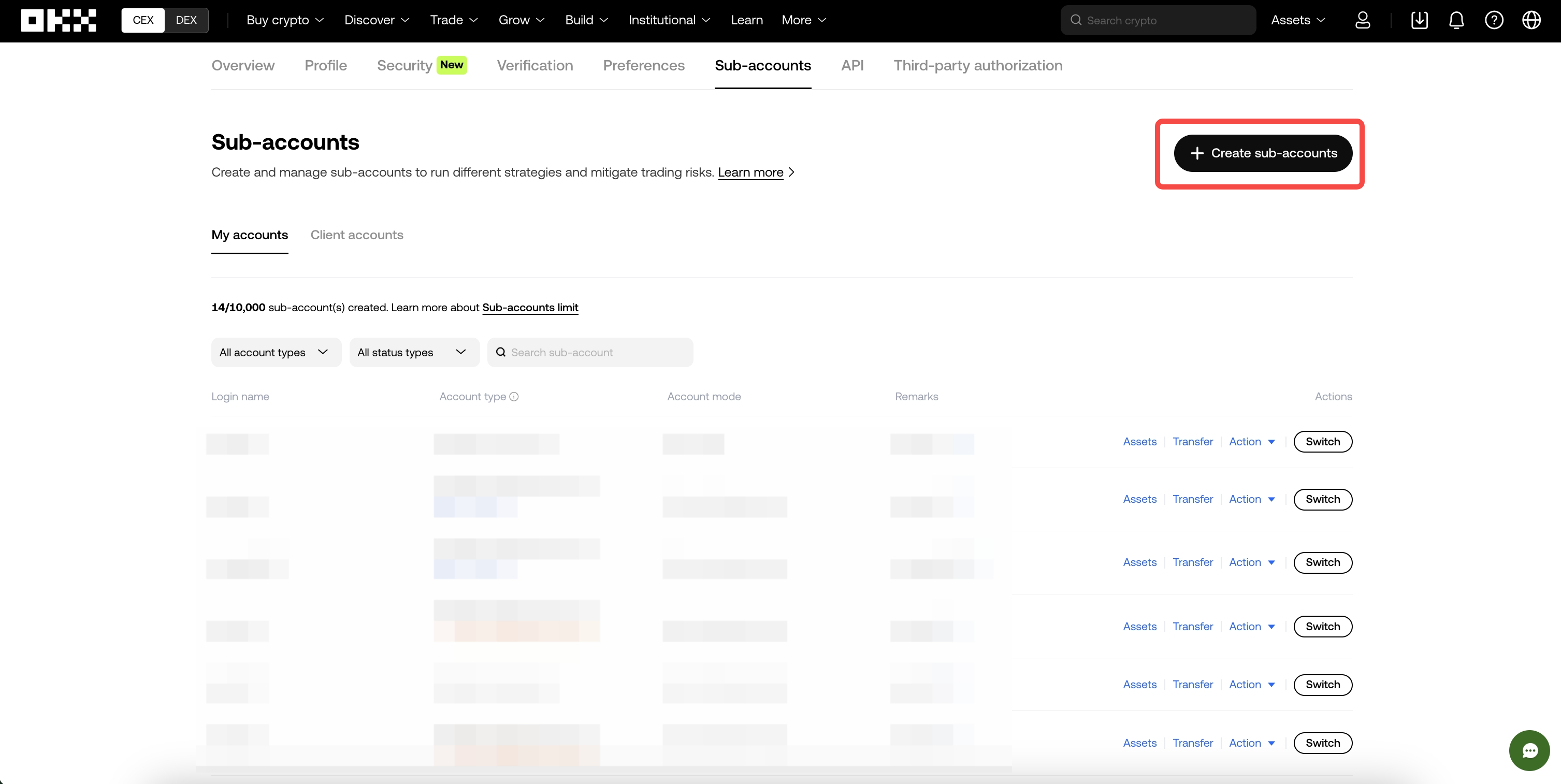
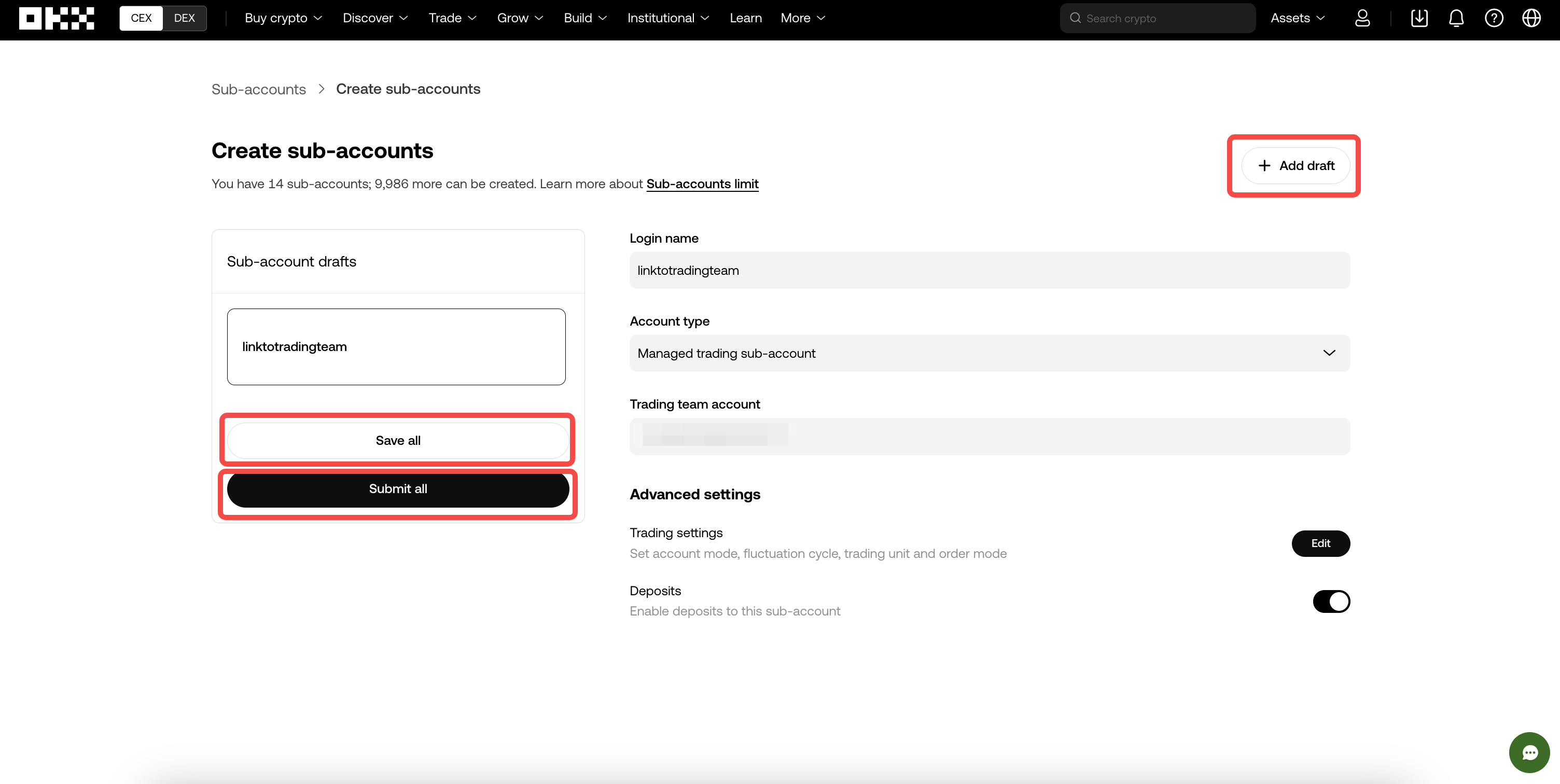
4. Enter the information below
Sub-account ID (choose any name you want)
Login password (a password used only for this sub-account)
Memo (Optional) — write the purpose if needed
Select asset types (spot/futures/margin, etc.)
Complete the creation process by entering your funding password.
---------------------------------------------------------------------------------
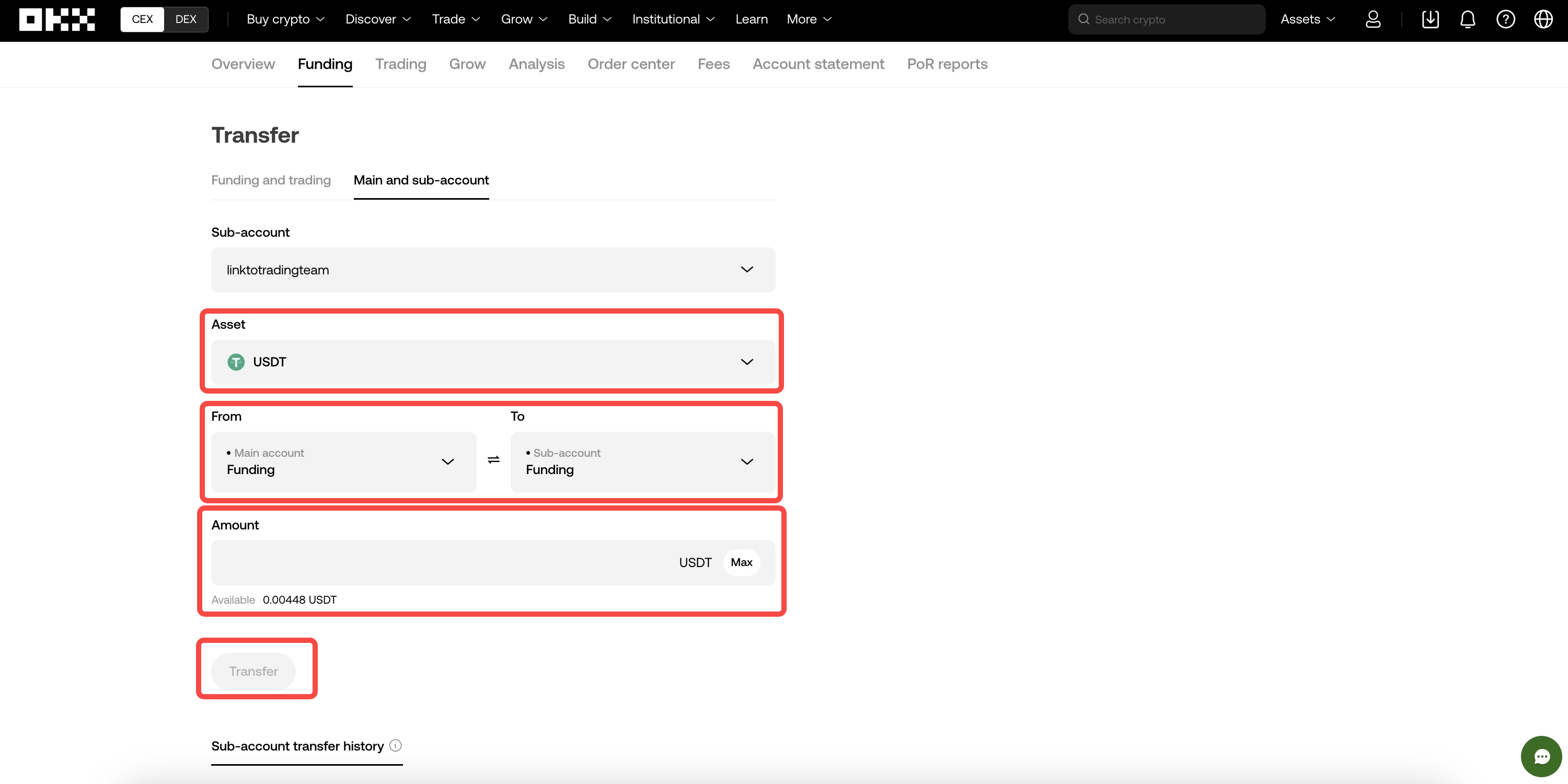
How to Transfer Assets
Once you create a sub-account, you must transfer assets from the main account to the sub-account in order to trade.
Method:
Go to [Assets] > [Transfer]
From: Main Account / To: Sub-account
Enter the coin you want to transfer and the amount, then confirm.